Integration guide
Video API Costs: Compare Per-Second and Per-Generation Pricing
Compare video API costs using matched duration, resolution, audio and reference inputs, with hypothetical per-second and per-generation calculations.

Compare video API costs by pricing the same deliverable, not by sorting headline rates. Start with the exact model version, duration, resolution, sound and reference inputs; then convert each quote into a cost per completed clip. Finally, account for retries and the proportion of delivered clips that meet your brief. This ModelsNexus guide provides a comparison worksheet and clearly hypothetical calculations, not a live price ranking or a claim that different models produce equivalent quality.
Write the production brief before collecting prices
A cheap silent landscape clip is not an alternative to a portrait clip that needs synchronized sound and a supplied character reference. Put the requirements in writing first. Mark each requirement as essential or optional, and exclude a candidate that cannot satisfy an essential one rather than assigning it a misleadingly low comparison price.
| Field | What to record | Why it matters |
|---|---|---|
| Model and workflow | Exact model/version and text-to-video, image-to-video or editing task | A family name does not establish an identical workflow |
| Output | Clip duration, dimensions, aspect ratio and required format | Compare a finished deliverable, not just a resolution label |
| Sound | Generated sound, required silence, or reference-audio input | These are separate requirements |
| References | Image count, video/audio count and input duration, plus accepted formats | Confirm both input support and any input charges |
| Quote basis | Currency, credit conversion, account tier, billing unit and date | Keep account-specific or temporary terms visible |
| Settlement | Minimum charges, rounding, extras, and failure/refund rules | A headline rate may not describe the final charge |
These distinctions are present in provider documentation. Runway’s API pricing page separates video entries by model and, in some cases, resolution or audio. Some entries also charge for input-video duration or apply a minimum charge. That is a reason to read the complete billing rule, not a reason to apply Runway’s rules to another service.
Likewise, generating sound does not establish support for uploading reference audio. Google’s Veo 3.1 model documentation lists sound generation separately from accepted input modalities. Use the documentation for the precise model and endpoint you plan to call; provider capability descriptions do not verify ModelsNexus availability.
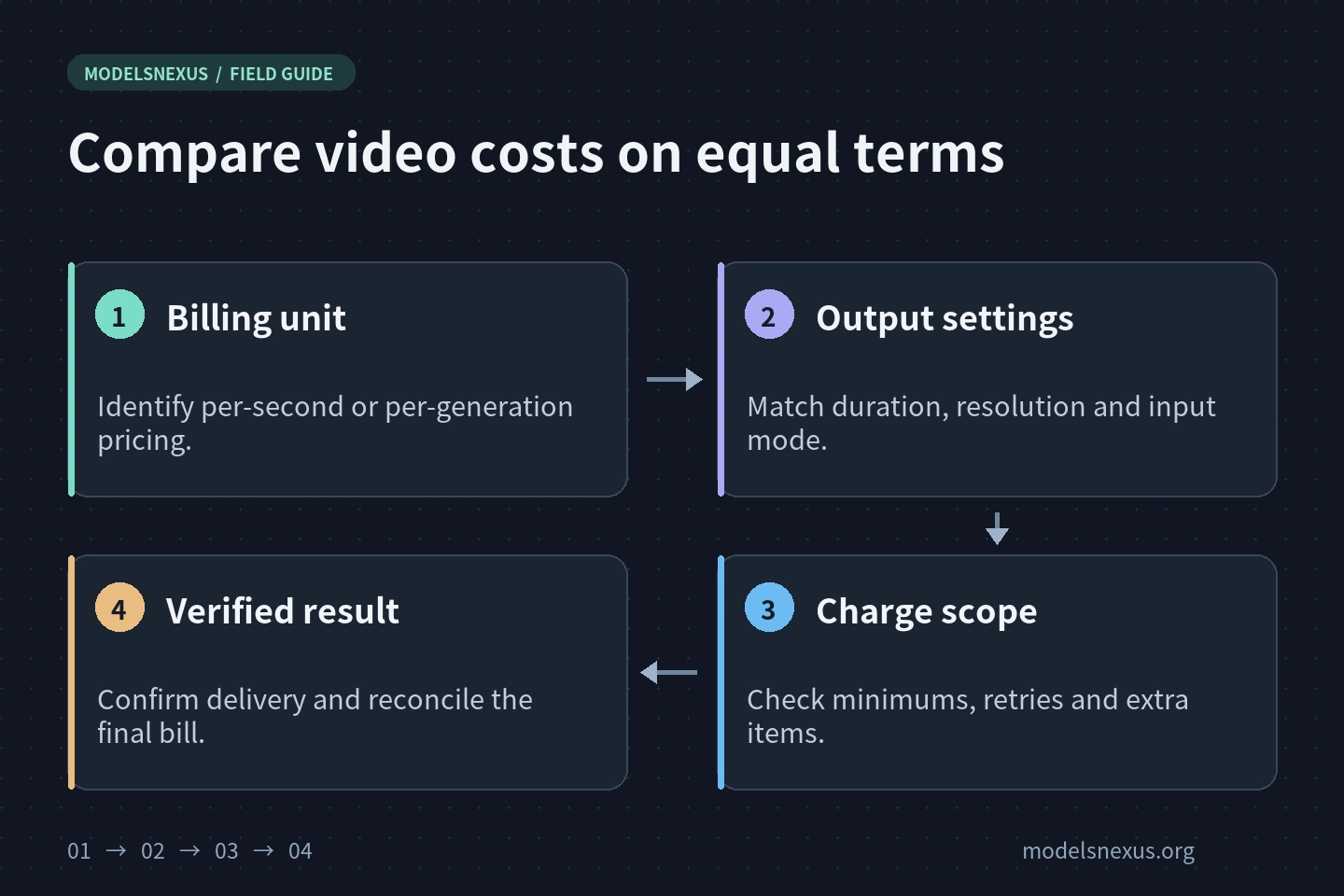
Convert per-second and per-generation quotes to one clip
For a quote that bills only output duration, estimate billable seconds × rate per second. Use the billable duration defined by the service, including any documented minimum or rounding rule. If reference-video duration or another input is charged separately, add that component rather than assuming the output rate covers it.
For a fixed per-generation quote, estimate billable generations × price per generation, but first establish what one generation buys. Check whether it means one clip, one job containing several outputs, or a specific duration/resolution combination. Do not multiply a flat clip price by its duration. Do not assume a submitted task, a returned clip and a billable generation always have the same count.
Hypothetical example: the ranking changes with duration
All prices and offer conditions in this example are invented for arithmetic only. Assume two fictional options accept the same requested specifications, charge for one delivered clip, and have no input fees, minimums, rounding or extras. Assume both accept either five-second or ten-second clips. None of these assumptions describes a real provider or a ModelsNexus offer.
| Fictional option | Hypothetical rate | Five-second clip | Ten-second clip |
|---|---|---|---|
| A: output seconds | Hypothetical $0.08 per second | 5 × $0.08 = hypothetical $0.40 | 10 × $0.08 = hypothetical $0.80 |
| B: fixed clip | Hypothetical $0.60 per generation | 1 × $0.60 = hypothetical $0.60 | 1 × $0.60 = hypothetical $0.60 |
Under these assumptions, A costs less for the shorter clip and B costs less for the longer clip. The calculation says nothing about creative quality, latency or reliability. Replace the fictional rates and conditions with dated quotes before making a purchasing decision.
Separate generation, delivery and an unknown outcome
Build your comparison log around what you can verify. Record submission time and request ID, whether a task ID was returned, its documented terminal state, when the output became available, whether download succeeded, and the final settled charge. A connection error and a provider-confirmed failed task are not interchangeable evidence.
If an accepted job has a documented status endpoint, check that job before starting another one. A local timeout does not establish that processing stopped. Repeating a creation request can create another charge unless the service provides an applicable deduplication guarantee. The HTTP standard’s idempotency guidance cautions against automatically retrying a non-idempotent request without knowing it is safe. It does not define a video provider’s refund policy.
Where a finished file needs downloading, record download time separately from generation time. Check the documented retrieval or link-renewal mechanism before paying to regenerate an existing result. Keep disputed or unsettled charges in a separate column until reconciled; do not count a hoped-for refund as received.
Measure cost per usable output without inventing a success rate
Define acceptance criteria before a small pilot: required duration and format, adherence to the scene, subject consistency where relevant, and any sound requirements. Keep a technically delivered clip distinct from one that is creatively usable. Equal specifications alone are not evidence of equal quality.
For a completed evaluation batch, calculate net settled generation charges ÷ accepted delivered clips. Keep the denominator and evaluation window visible. If no clips meet the brief, report no accepted output instead of a zero cost per usable clip. If jobs or charges remain unresolved, label the calculation provisional. Add editing, storage or transfer costs separately when they fall within your project’s budget scope.
Publish the actual sample size and decision criteria with any comparison. A small pilot can inform your project but cannot establish a platform-wide success rate. Track submission-to-availability and availability-to-local-download timings alongside cost if delivery deadlines matter.
Use the worksheet with ModelsNexus pricing
- Open the ModelsNexus model catalogue and pricing page and record the quote applicable to your account, group and chosen model.
- Confirm the required workflow, reference inputs, output specification, billing unit and settlement rules in the relevant documentation. Ask about any missing term before a batch run.
- Run a bounded pilot only after confirming its expected cost. Retain task IDs, timing records and final charges, without publishing credentials or private reference media.
- Choose the option that meets the brief at an acceptable measured cost and delivery time—not simply the lowest number in the catalogue.
No paid video generation was performed for this article. It supplies a comparison method, not a current price list, discount, endpoint specification or performance guarantee.
Check the current model, protocol and terms before integrating.
Explore ModelsNexus